
What is Image Moderation?
18 novembre 2026
What is Image Moderation?
Image moderation is the automated detection of harmful or policy-violating content in user-submitted images. GGWP's image moderation API analyzes images and the text inside them, returns category-level results, and routes flagged images into the same dashboard and player history as chat, voice, and username incidents. It is one part of a broader trust & safety platform, not a standalone filter.
Image moderation uses AI to review images that users upload or share, such as avatars, profile banners, screenshots, custom art, and other user-generated content (UGC), and to classify anything that violates a community's policy. The output is a structured result your team can act on: block the image, hide it, send it to a review queue, or let it through.
For trust & safety teams, the hard part is rarely the detection model alone. It is what happens after: who sees the flag, how it connects to everything else a player has done, and how much a moderator has to look at to make a call. That is where image moderation either fits into your operation or becomes one more disconnected tool.
Why image moderation belongs in the same system as chat and voice
Most communities already moderate text. Many have started on voice. Images are the third channel, and the signals rarely stay in one place. A player who posts a hateful avatar may also be harassing someone in chat. A screenshot shared in a community server can carry content that no text filter would ever read.
Treating each channel as its own product means each one produces its own queue, its own definitions, and its own view of the player. GGWP covers text, voice, usernames, reports and appeals, Discord, images, video and Intelligence Tools as parts of one platform, so a team sees the full picture of a player's behavior rather than a stack of separate alerts. Image moderation is another signal in that picture, and it works best when it is read alongside the others.
What GGWP image moderation detects
GGWP image moderation scans user-submitted images and classifies them across multiple categories of harmful or policy-sensitive content, including:
- Explicit nudity and sexual content
- Non-explicit nudity
- Hate imagery
- Violence and gore
- Weapons
- Alcohol and drugs
- Gambling
- Profanity
- PII (Personally Identifiable Information)
Categories are reported separately, so your policy can treat them differently. A weapon in fan art for a shooter is a different decision than a weapon in a profile picture on a platform for younger players, and your configuration can reflect that.
Text inside images
Images often carry their message in words. GGWP image moderation includes text recognition (OCR) that reads text embedded in avatars, banners, memes, and screenshots, so policy-violating language inside an image is not missed just because a visual classifier saw nothing wrong. This closes a gap that both text-only and image-only moderation leave open.
How GGWP image moderation works
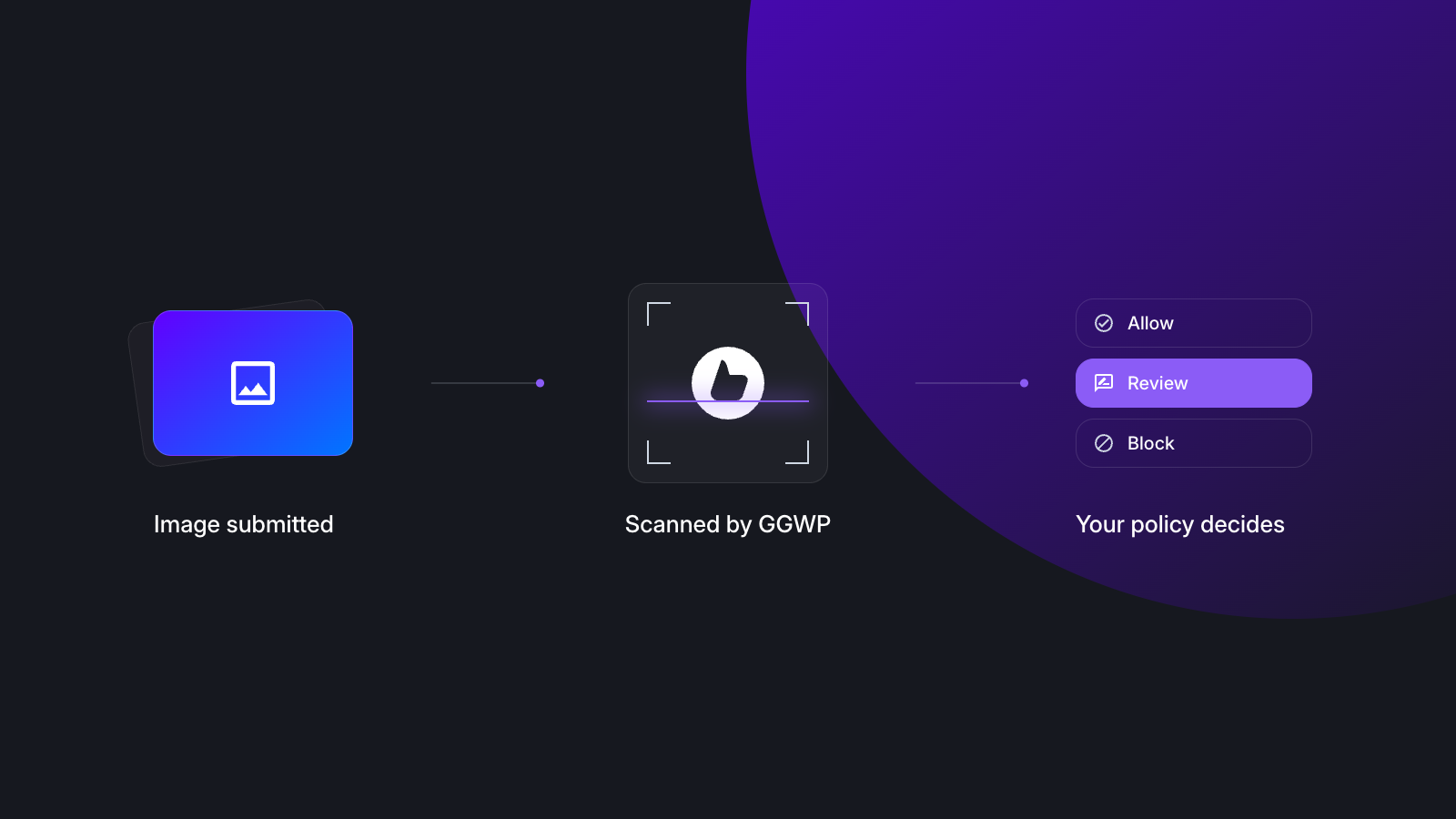
Image moderation is delivered as an API, so it fits wherever images enter your product or community.
- Submit the image to the GGWP API.
- Receive category results. GGWP returns classification results across the detection categories, including any text found in the image.
- Apply your policy. Your team decides what happens at each category and level: block, hide, queue for review, or allow. Enforcement runs through your own stack and policy, so you stay in control of the action taken on your platform.
- Review in the dashboard. Flagged images appear in the GGWP dashboard alongside chat, voice, and the rest of your channels, and tie into the player's wider history.
Because the detection is an API call, it works for real-time moments like avatar uploads and for ongoing UGC pipelines, without rebuilding how your community works.
Review that accounts for the people doing it
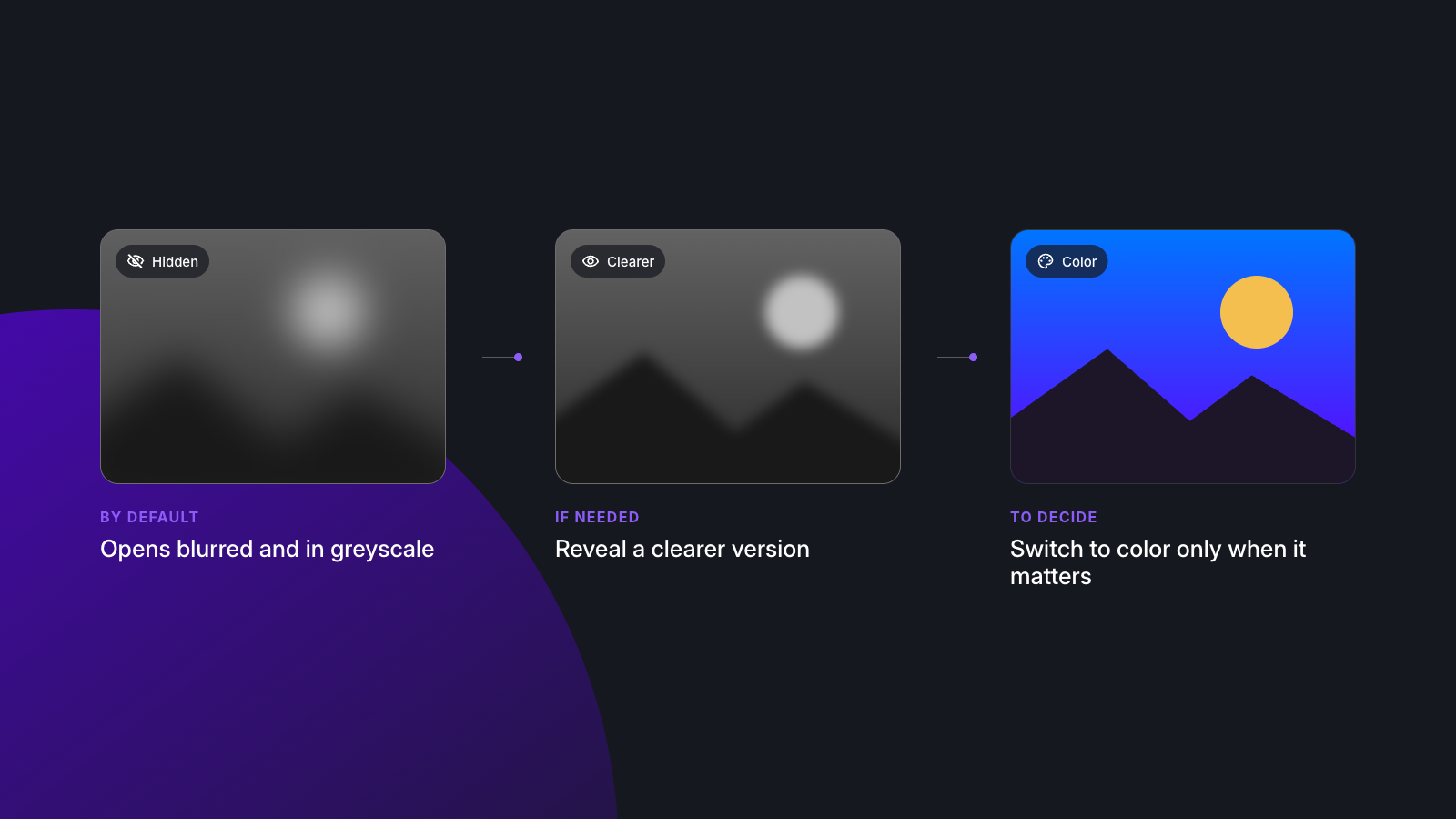
Image review is difficult work, and the review experience matters as much as detection. In the GGWP dashboard, flagged images open blurred and in greyscale by default. Moderators choose when to reveal a clearer version and when to switch to color, so they see only as much as a decision requires. Automation handles the clear-cut violations, and human reviewers spend their time on the judgment calls, with less unnecessary exposure to disturbing content and more context on the player behind the image.
Image moderation as part of a full trust & safety platform
GGWP is built as an AI-powered trust & safety platform for community health, and image moderation is one of the ways it covers the whole community rather than one channel of it:
- Text: chat moderation with contextual, behavioral detection
- Voice: voice moderation for real-time communication
- Images: the capability described above
- Usernames: screening for harmful names and handles
- Reports and appeals: automated handling of the reports and appeals players submit
- Discord: moderation for community servers
- Intelligence Tools: insight into what players are talking about and why it changed, with plain-language answers drawn from real player comments
- One dashboard: every incident source in one place, with consistent policy configuration
For teams, that means one place to set policy, one place to review, and one view of each player. For leadership, it means community health is managed as a connected operation, not a collection of point solutions.
Who uses image moderation
Image moderation is relevant anywhere users can put visuals in front of other users:
- Games and live-service communities: avatars, profile art, clan or guild banners, screenshot sharing
- UGC and creator platforms: uploaded art, maps, skins, and community-created content
- Community and social platforms: profile images, shared media, and in-feed posts
- Platforms with younger audiences: where stricter category policies apply
Frequently asked questions
What is an image moderation API?
An image moderation API is a service your application calls to automatically analyze user-submitted images. It returns category-level results for harmful content so your team can block, hide, queue, or allow the image according to its own policy.
What types of content can AI image moderation detect?
GGWP image moderation detects harmful and policy-sensitive content including explicit and non-explicit nudity, hate imagery, violence and gore, weapons, alcohol and drugs, and gambling. It also reads text embedded in images.
Does GGWP image moderation read text in images?
Yes. Built-in text recognition (OCR) reads words inside avatars, banners, memes, and screenshots so that policy-violating language in an image can be flagged.
What image formats does GGWP support?
JPG, JPEG, PNG, GIF, WEBP images submitted through the API.
Does image moderation work with chat, voice, and Discord moderation?
Yes. Images are one incident source in the GGWP dashboard alongside chat, voice, usernames, reports and appeals, and Discord, so teams manage them in one place and under one policy framework.
Can I set different rules for different categories or audiences?
Categories are reported separately so your policy can treat them differently, for example a stricter approach for a younger audience than for a mature one.
How does GGWP help moderators who review disturbing images?
Flagged images open blurred and in greyscale by default in the dashboard. Moderators choose when to reveal a clearer version and when to switch to color, so they see only as much as they need to make a decision.
See image moderation in action
Want to see how GGWP handles the images your players share, alongside chat and voice? Request a demo.

Vuoi approfondire usando i tuoi dati?
Gran parte di ciò che trovi in questi articoli è più facile da mostrare che da spiegare per iscritto. Porta un campione dei tuoi dati e lo analizzeremo insieme in diretta.